Step 2: Log in to Minute AI - Minute AI Walkthrough
Access the Minute AI interface and explore the dashboard
Great! You've deployed the demo
Now let's walk through what you just deployed and see it in action.
Start WalkthroughChoose your next step
Generate Evidence Pack
Create your business case documentation with what you've learned.
Generate Evidence PackWalkthrough progress
Step 2 of 6 • 2 minutes
Log in to Minute AI
Open Minute AI in your browser and log in with the credentials from CloudFormation.
Expected outcome
- You have opened the MinuteUrl in a new browser tab
- You have logged in with BasicAuthUsername and BasicAuthPassword
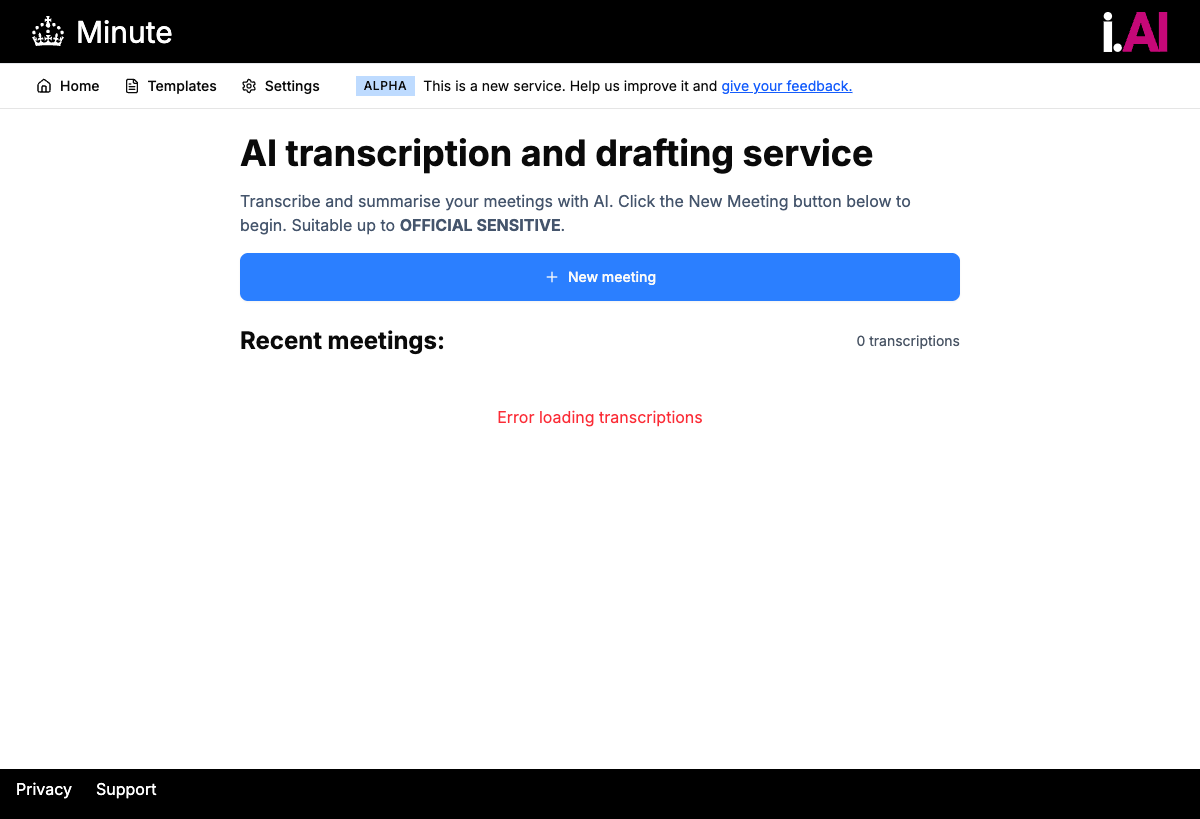
- You can see the Minute AI homepage with the New meeting button
Opening Minute AI
-
Open the MinuteUrl
Click the MinuteUrl link from CloudFormation Outputs, or paste it into a new browser tab.
-
Enter your credentials
When prompted with the browser's authentication dialog, enter the BasicAuthUsername and BasicAuthPassword from the CloudFormation Outputs tab.
-
View the homepage
After logging in, you will see the Minute AI homepage.
What you should see
After logging in, you should see:
- The Minute AI homepage with a clean, modern interface
- A prominent "New meeting" button
- A list of any existing meetings (empty on first use)
- Navigation options including Templates
About Minute: Minute was built by i.AI (opens in new tab), the Incubator for AI within the UK Government. It is open source and designed for public sector use. The tool uses AWS Transcribe for speech-to-text and Amazon Nova Pro via Amazon Bedrock for minute generation.
Troubleshooting: Site not loading
If Minute AI does not load:
- Wait 2 to 3 minutes after stack completion -- CloudFront may need time to propagate
- Check the CloudFormation "Events" tab for any errors
- Try refreshing the page
- Check you are using the correct URL from the Outputs tab
Troubleshooting: Login not working
If you cannot log in:
- Double-check you copied the entire password (no trailing spaces)
- Passwords are case-sensitive
- Make sure you are using the BasicAuthUsername and BasicAuthPassword from Outputs
- Try using a private/incognito window if cached credentials are interfering