Step 1: Get your credentials - Minute AI Walkthrough
Find your Minute AI URL and login credentials from CloudFormation
Great! You've deployed the demo
Now let's walk through what you just deployed and see it in action.
Start WalkthroughChoose your next step
Generate Evidence Pack
Create your business case documentation with what you've learned.
Generate Evidence PackWalkthrough progress
Step 1 of 6 • 2 minutes
Get your credentials
Navigate to CloudFormation in the AWS Console and copy your Minute AI URL and login credentials.
Expected outcome
- CloudFormation stack shows CREATE_COMPLETE status
- You have copied the MinuteUrl, BasicAuthUsername, and BasicAuthPassword
- You know the CloudWatch Logs URL for monitoring
Navigating to CloudFormation
From the AWS Console homepage, find CloudFormation in the "Recently visited" section or by searching for "CloudFormation" in the search bar.
Finding your credentials
-
Open the CloudFormation console
Go to CloudFormation console in us-east-1 (N. Virginia) (opens in new tab)
-
Find your stack
Look for a stack named
MinuteStackor starting withndx-try-minuteThe status should be CREATE_COMPLETE
Warning If the status shows CREATE_IN_PROGRESS, the deployment is still running. This scenario takes 25 to 35 minutes to deploy fully.This is normal. Minute AI provisions an Aurora PostgreSQL database, ECS Fargate services, and a CloudFront distribution. While you wait, watch the Events tab to see resources being created in real-time.
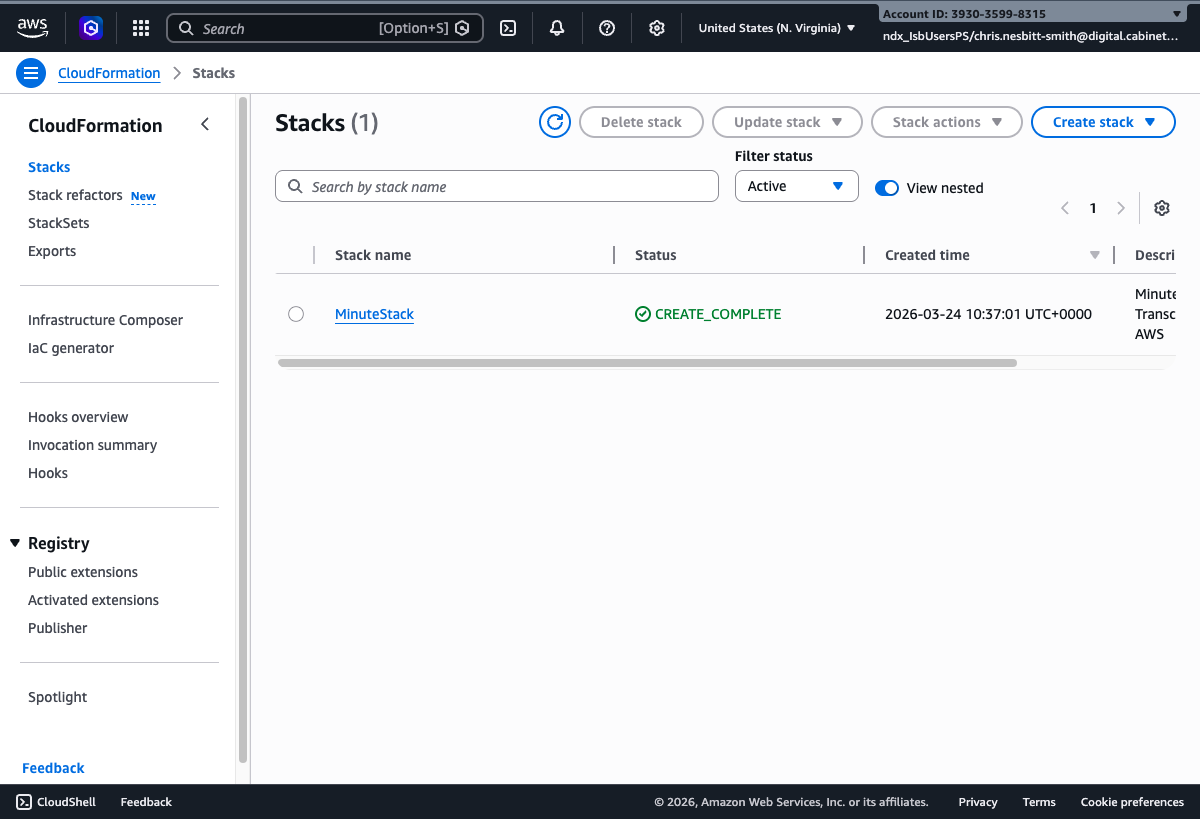
The CloudFormation Stacks list showing MinuteStack with CREATE_COMPLETE status -
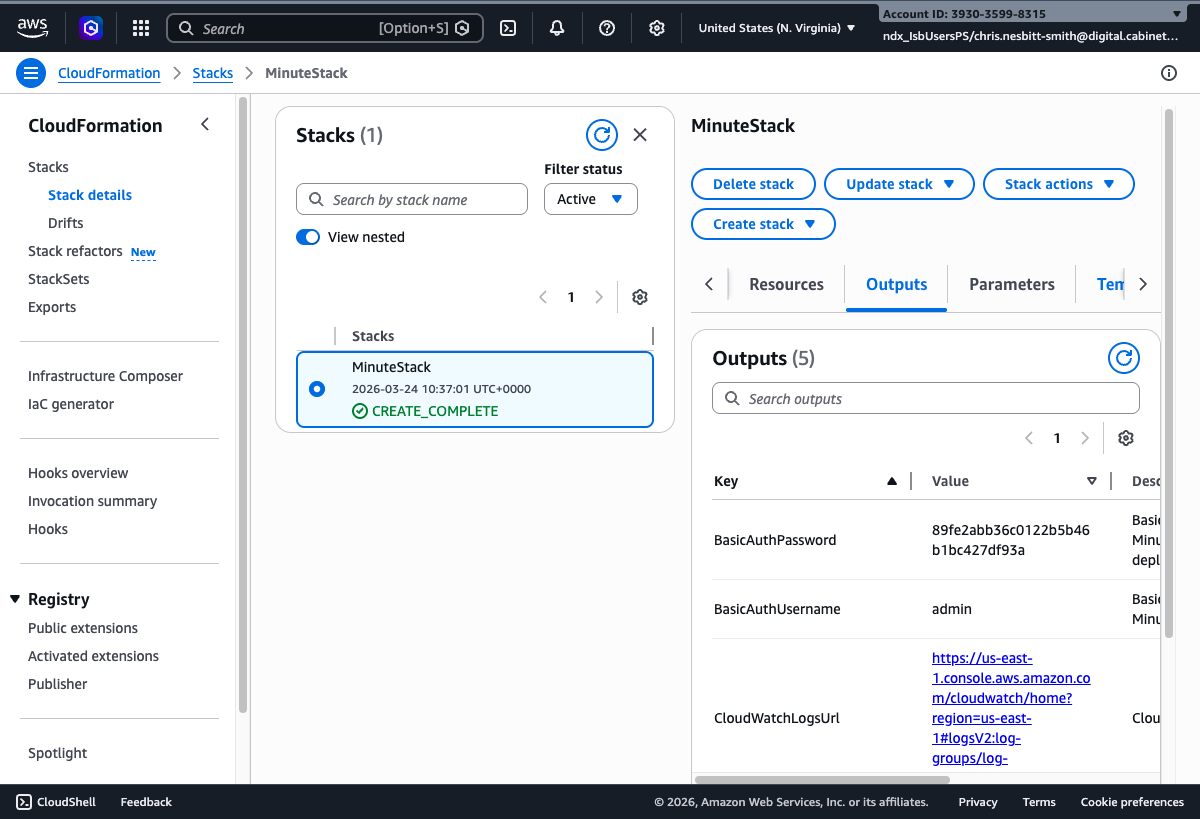
Go to the "Outputs" tab
Click on your stack name, then select the "Outputs" tab
-
Copy these three values
MinuteUrl: The URL to access Minute AI
https://[random-id].cloudfront.netBasicAuthUsername: The username for login
BasicAuthPassword: Auto-generated secure password
Tip: If you deployed from the NDX:Try scenario page, your credentials may also be shown in the Credentials Card on that page.
Troubleshooting: Stack still in progress
If the stack shows CREATE_IN_PROGRESS:
- The Aurora PostgreSQL database takes approximately 10 minutes to create
- The CloudFront distribution takes approximately 5 minutes to create
- Watch the Events tab for progress updates
- Total deployment time is typically 25 to 35 minutes