Step 9: The DEMO Banner - LocalGov Drupal Walkthrough
Understand the demonstration banner and what it means
Great! You've deployed the demo
Now let's walk through what you just deployed and see it in action.
Start WalkthroughChoose your next step
Generate Evidence Pack
Create your business case documentation with what you've learned.
Generate Evidence PackWalkthrough progress
Step 9 of 11 • 2 minutes
The DEMO Banner
Learn about the demonstration banner and why it's an important part of the demo experience.
Expected outcome
- You understand why the DEMO banner exists
- You know what message it communicates
- You understand it's part of the demo design
What is the DEMO banner?
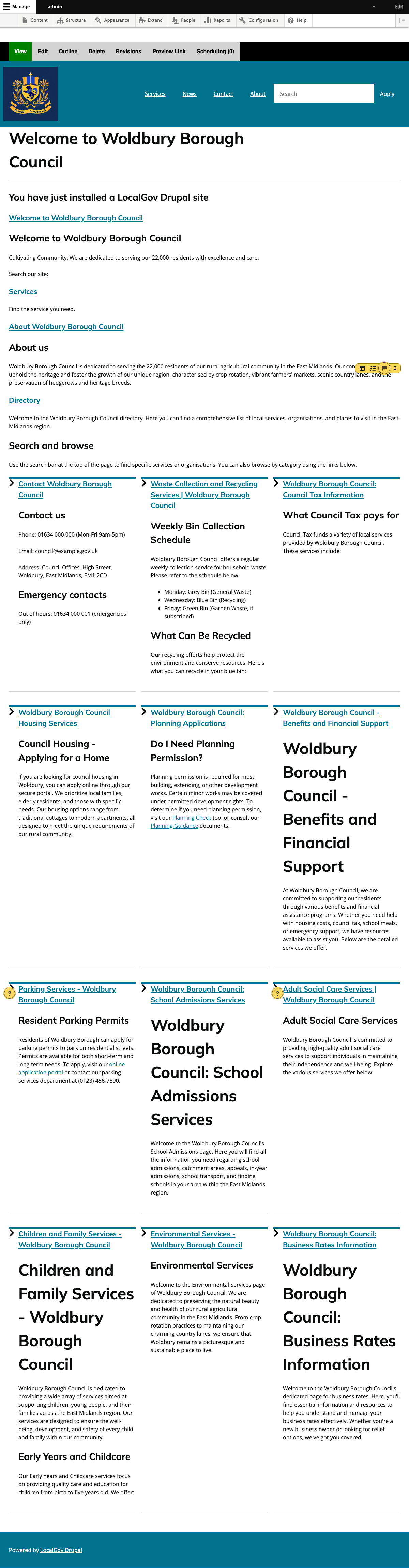
At the top of every page, you'll notice a distinctive yellow and black striped banner:
This banner appears on every page of the site, including:
- The public homepage and all content pages
- The Drupal admin dashboard and editing screens
- Any custom pages or sections you create
Why does it exist?
The DEMO banner serves several important purposes:
Prevents confusion
Visitors immediately understand this is a demonstration site, not a real council website. This prevents any confusion about the validity of information or services shown.
Enables safe exploration
Knowing the site is a demo, stakeholders feel comfortable clicking around, editing content, and experimenting without fear of breaking anything "real".
Supports screenshots
If you share screenshots in reports or presentations, the banner clearly indicates this is a demonstration, maintaining transparency with stakeholders.
GOV.UK compliance
Using government design patterns without clear demo labelling could be misleading. The banner ensures compliance with transparency guidelines.
Why can't it be dismissed?
The DEMO banner is intentionally non-dismissable:
- There is no close button or "X" to remove it
- It cannot be turned off in Drupal settings (by regular users)
- It persists across all pages and sessions
This is by design. It ensures that anyone viewing the site - whether in a meeting, presentation, or casual browse - always knows they're looking at a demonstration.
For production use: If your council decides to use LocalGov Drupal in production, the DEMO banner module would simply not be installed. It's only included in the NDX:Try demo environment.
The council name
The banner displays your demonstration council's name. This council is entirely fictional - no real council data is used.
Each deployment creates a unique fictional council with its own name, region, and local character using AI-powered council generation. Learn more in Step 3: Dynamic Council Generation.