Step 6: Simplify to Plain English - LocalGov Drupal Walkthrough
Make content more accessible using AI-powered text simplification
Great! You've deployed the demo
Now let's walk through what you just deployed and see it in action.
Start WalkthroughChoose your next step
Generate Evidence Pack
Create your business case documentation with what you've learned.
Generate Evidence PackWalkthrough progress
Step 6 of 11 • 4 minutes
Simplify to Plain English
Make content more accessible by simplifying text to plain English with one click.
Expected outcome
- You've simplified content using the Simplify button
- You understand how one-click simplification works
- You know the accessibility benefits of plain English
What is the Simplify feature?
The Simplify feature uses Amazon Nova Lite (opens in new tab) to rewrite content in plain English. It helps make council communications accessible to all residents, regardless of reading ability.
One-click simplification
Simply click the Simplify button and the entire content body is automatically rewritten to plain English. No need to select text first.
How to simplify content
-
Open a content page for editing
Navigate to Content > find a page with complex text > click Edit
-
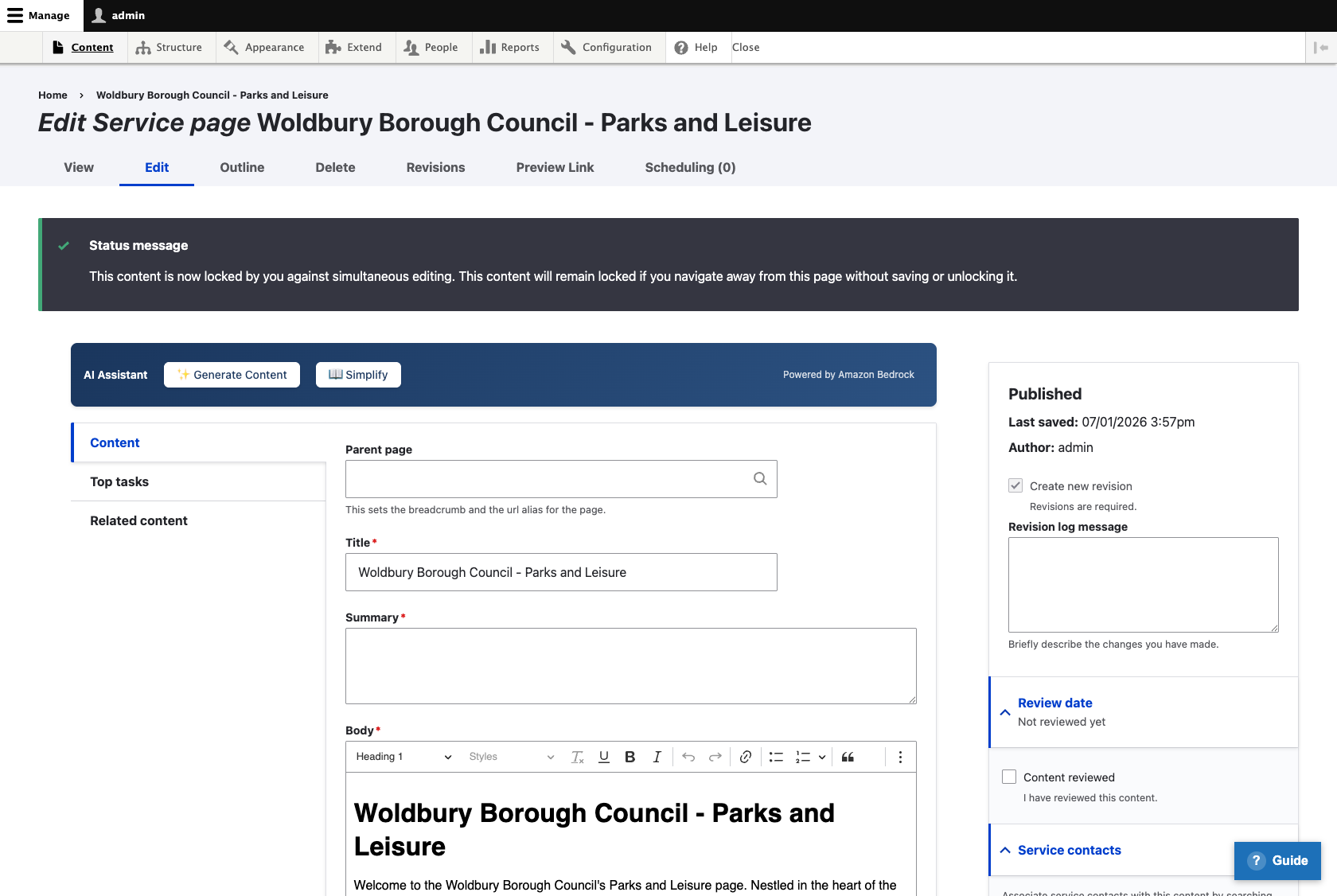
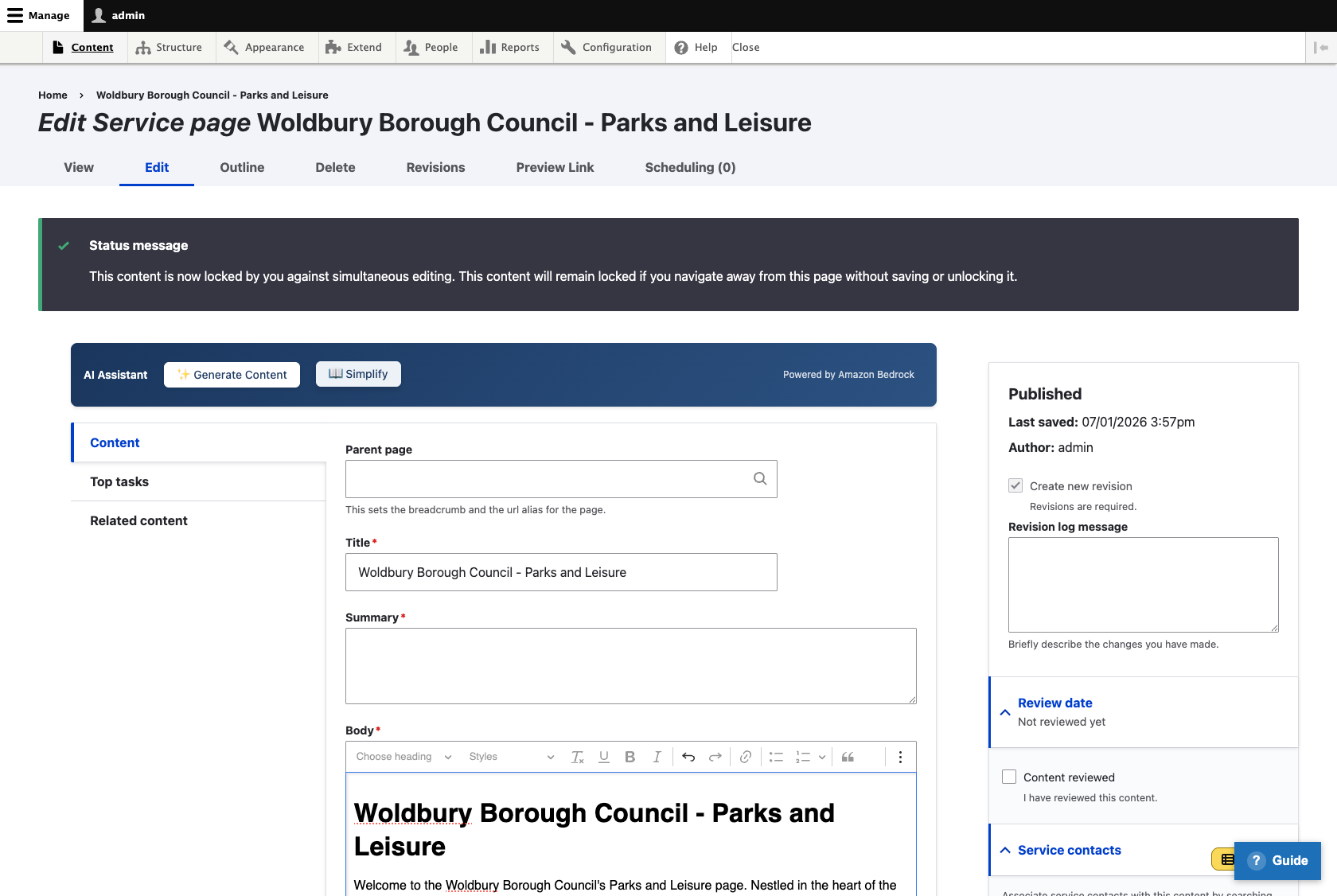
Click "Simplify" in the AI Assistant bar
The Simplify button appears above the content editor, next to Generate Content
-
Wait for the AI to process
Amazon Nova Lite (opens in new tab) analyses the entire body content and rewrites it in plain English
-
Review the simplified content
The content is automatically replaced with the simplified version. Check that the meaning is preserved.
-
Save or undo
If you're happy, save the page. If not, use Ctrl+Z (or Cmd+Z on Mac) to undo.
Why plain English matters
GOV.UK recommends writing at a reading age of 9 to ensure content is accessible to everyone. Plain English:
- Reaches more people - 1 in 6 adults in the UK have poor literacy skills
- Saves time - Clear content means fewer phone calls and emails
- Builds trust - Residents appreciate straightforward communication
- Improves accessibility - Helps people with cognitive disabilities, non-native speakers, and those reading on mobile
Before and after example
Before simplification
"Pursuant to the regulations set forth in the Town and Country Planning Act, applications for planning permission must be submitted in accordance with the prescribed procedures. Failure to comply with the aforementioned requirements may result in the invalidation of your submission."
After simplification
"You need to follow the rules when you apply for planning permission. If you don't follow these rules, we may not be able to process your application."
Common use cases
| Content type | Why simplify? |
|---|---|
| Legal notices | Make legal requirements understandable to all residents |
| Technical guidance | Explain complex processes in plain terms |
| Policy documents | Help residents understand their rights and responsibilities |
| Service descriptions | Ensure everyone knows what services are available |
Tip: Always review simplified content to ensure accuracy is maintained. The AI aims to preserve meaning, but technical terms or specific requirements should be checked before publishing.