Step 5: AI Content Generator - LocalGov Drupal Walkthrough
Generate draft content from prompts using Amazon Nova Pro
Great! You've deployed the demo
Now let's walk through what you just deployed and see it in action.
Start WalkthroughChoose your next step
Generate Evidence Pack
Create your business case documentation with what you've learned.
Generate Evidence PackWalkthrough progress
Step 5 of 11 • 5 minutes
AI Content Generator
Generate draft content from prompts using AI, powered by Amazon Nova Pro.
Expected outcome
- You've opened the AI Writing Assistant
- You've generated content from a prompt
- You understand tips for effective prompts
What is the AI Content Generator?
The Generate Content feature uses Amazon Nova Pro (opens in new tab) to create draft content based on your prompts. It helps content editors:
- Draft service pages quickly from a brief description
- Generate news articles and announcements
- Create how-to guides for residents
- Save time on routine content tasks
How to generate content
-
Open any content page for editing
Navigate to Content > find a page > click Edit
-
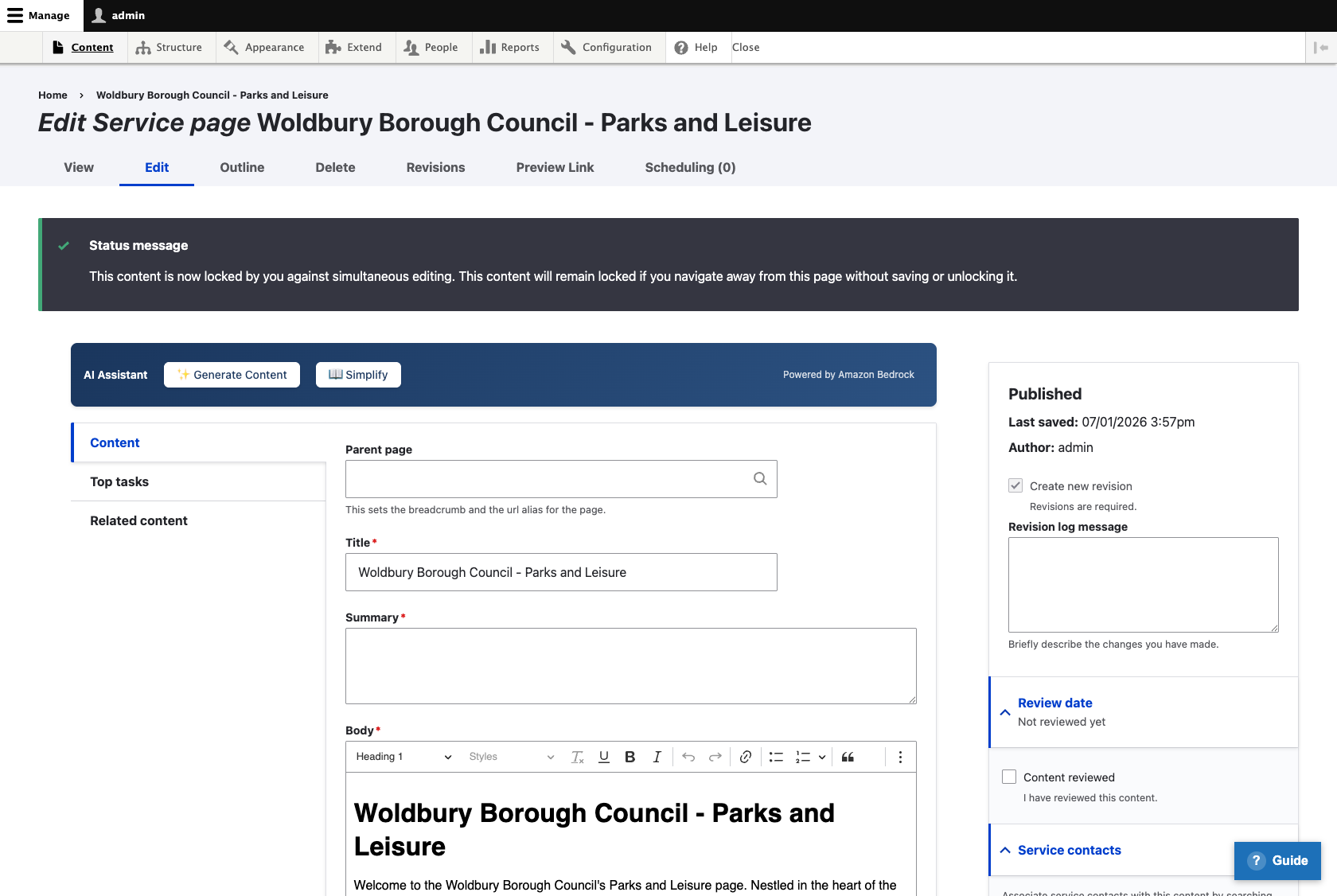
Look for the AI Assistant bar
Above the content editor, you'll see buttons for "Generate Content" and "Simplify"
-
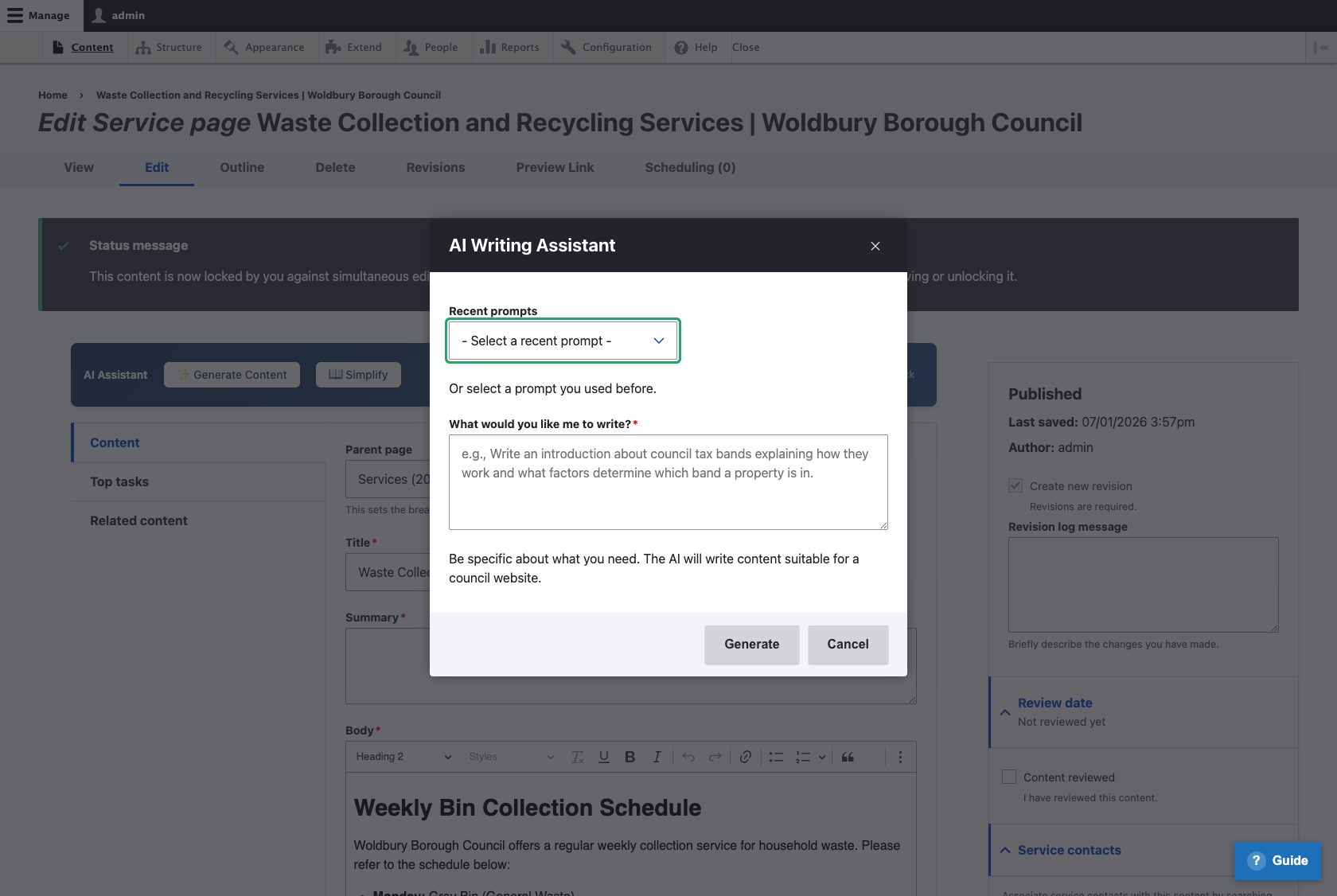
Click "Generate Content"
This opens the AI Writing Assistant dialog
-
Enter your prompt
Describe what content you want. Be specific about topic, audience, and key points.
-
Click Generate
Wait a few seconds while Amazon Nova Pro (opens in new tab) generates your content
-
Review and insert
Read through the result, then click "Insert" to add it to your page, or "Regenerate" to try again
Try this: example prompts
Here are some prompts you can try:
Service Page: Parking Permits
BeginnerPrompt:
Write a service page for residents explaining how to apply for a parking permit. Include eligibility criteria, required documents, and processing time.
How-to Guide: Report a Pothole
BeginnerPrompt:
Write a step-by-step guide for reporting potholes. Include what information residents need to provide, expected response time, and how to track their report.
News Article: New Recycling Service
IntermediatePrompt:
Write a news article announcing a new food waste collection service starting next month. Include collection days, what can be recycled, and how to request a bin.
Tips for better results
Be specific in your prompts
The more detail you provide, the better the result:
Less effective:
"Write about bins"
More effective:
"Write a guide explaining what can go in the blue recycling bin, including common mistakes residents make"
Include context and audience
Tell the AI who the content is for:
- "Write for residents who have never used this service before"
- "Write for business owners applying for a licence"
- "Write in a friendly, helpful tone suitable for elderly residents"
Always review AI output
Check AI-generated content before publishing:
- Accuracy - Are the facts correct? Are dates and prices right?
- Tone - Does it match your council's voice?
- Completeness - Is anything missing?
- Links - The AI cannot create links, so you'll need to add these